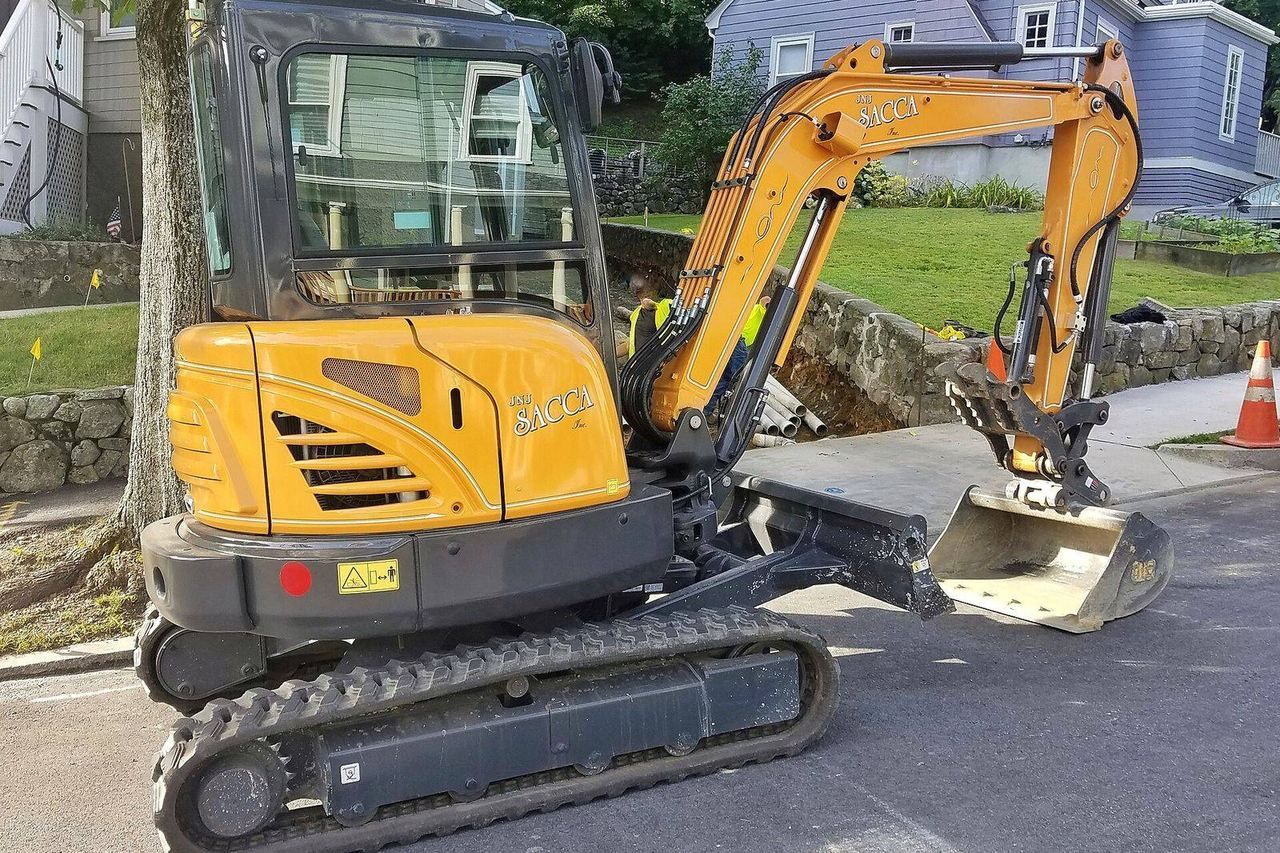
Equipment rental works best when four things are in place: the right add-ons in the booking, clear terms about damage, a condition check with photos before and after, and a decision for each machine on whether it can be picked up without staff. Machines are expensive and wear out, so renting them out is as much about protecting their value as about getting paid.
Renting out a plate compactor, a floor sander or a pressure washer is different from renting out a room. Each machine is worth more, the risk of damage is higher, and the customer often needs accessories and instructions. Here is how to set it up, using Exempelhyran as the example: a business in Viby, Sweden, with a mini excavator, a plate compactor, a breaker and a few smaller machines.
Which machines should you rent out?
Start with what customers ask for and what stands idle most in your own business. For a smaller rental business that is often:
- Groundwork: mini excavator, plate compactor, earth auger.
- Demolition and building: breaker, cut-off saw, site heater or fan.
- Floors and cleaning: floor sander, pressure washer, carpet cleaner.
- Garden: stump grinder, garden shredder, scarifier.
Work out the numbers for each machine on its own: what it costs to buy and service, how much it wears per rental and how often it can be rented out. A machine that is rented every weekend but breaks down every other month earns less than it seems to.
What should be included in the booking?
Put what belongs with the machine straight into the booking, so the customer gets everything at once and you avoid forgotten accessories:
- Accessories: an extra bucket, a drill bit, a hose.
- Consumables: sandpaper, cutting discs, cleaning products.
- Protective gear: ear defenders, safety glasses, gloves.
- Insurance as an add-on that lowers the customer’s excess.
- Mandatory fees, for cleaning for example, shown in the price from the start.
Show the add-ons once the customer has chosen a machine and a time. Then they feel like service, not like an obstacle on the first page.
How do you price a machine?
Price it by how it is used. Most machines are rented by the hour, half-day or day, often with a weekend price from Friday afternoon to Monday morning. Busier days can cost more, and quiet periods less.
Also decide:
- what applies to fuel: returned full, or a fee,
- what a late return costs, since the next customer may be waiting,
- whether consumables are included or sold per item.
How do you protect yourself against damage?
With terms, an excess and photos. Write terms the customer accepts when they book: what the customer is responsible for, what the excess costs and what happens in case of damage, theft or a late return. Show the excess before the customer pays. For more expensive machines you can add insurance as an add-on or a mandatory fee.
In Qonnecta your protection rests on a mandatory fee or insurance in the booking, the terms and the excess the customer accepts when booking, and the condition check with photos at pick-up and return. Want to take a deposit as a hold on the card? Get in touch.
Have the customer photograph the machine both at pick-up and at return, with a checklist for each machine. Keep it short:
- Mini excavator: tracks, bucket and teeth, hydraulic hoses, the hour meter.
- Plate compactor: the base plate, the engine, the handle.
- Breaker: the chisel, the cable and the plug.
- Floor sander: the sanding drum, the dust bag, the cable.
A photo of the hour meter at pick-up and return shows how much the machine has actually been used. More in protect your rentals against damage.
For an expensive machine, a photo with the date and time is worth more than any amount of goodwill when something comes back broken.
Which machines can be picked up without staff?
The ones that are easy to use, can take some wear and can be checked with a few photos. Decide for each machine:
- Self-service for what a new customer can manage with short instructions: plate compactor, pressure washer, site fan. The customer picks up from a storage unit or a key box with a digital code lock.
- Staffed for what needs a walk-through or is expensive and delicate. You hand those machines over yourself.
You can mix the two. Exempelhyran lets customers pick up the plate compactor and the breaker from a storage unit with a code lock, while the mini excavator is handed over by someone who shows the controls.
Think about transport as well. A mini excavator often needs a trailer, and the customer needs the right driving licence and a car that is allowed to tow the weight. Put the weight in the product description.
How does the customer get the right instructions?
Send short instructions with the booking confirmation, preferably with pictures or a video. Then the customer has them before they arrive, and you get fewer calls. Good instructions for a machine cover:
- how to start and stop the machine,
- which protective gear is needed,
- what the customer must not do with it,
- how it should be cleaned and returned.
Send a reminder before the rental starts as well. The reminder can link to the instructions again.
How do you look after the machines between rentals?
Leave a gap between bookings, so you have time to look at the machine, clean it and refuel it before the next customer arrives. For a pressure washer a short gap is enough, while a mini excavator may need more time. The gap means two bookings never really clash.
Let the issues from the condition checks become your service list. If the same machine keeps coming back with the same fault, it may need servicing, the instructions may be unclear, or the machine may not suit self-service. It is cheaper to spot that in the photos than in the workshop bill.
Also decide what you do when a machine has to be taken out of use. Make sure it cannot be booked until it is repaired, and contact the customers who have already booked it. In Qonnecta you set the product to Inactive in admin. It is then hidden from customers until you make it active again.
What about the customer who has never used the machine?
Ask in the booking. An add-on such as “walk-through on site”, or a line in the booking where the customer can say they are new, tells you before they arrive. Then you can arrange a handover for that rental, even if the machine is otherwise picked up without staff.
Can the booking work alongside your business system?
Yes. If you already have a business system for invoices, servicing and stock, you do not need to replace it. An online booking page can handle the customers who want to book, pay and pick up themselves, also outside opening hours, while everything else works as it does today. Business customers can pay by invoice, which you send from your own system, and you can export the statistics to Excel. Qonnecta works with most business and accounting systems, and we help you connect them.
Checklist for each machine
- Prices per hour, half-day, day and weekend are set.
- Accessories, consumables and insurance are available as add-ons.
- The excess is in the terms and shown before the customer pays.
- The condition check has five points, with photos.
- The instructions are in the confirmation.
- The decision is made: self-service or staffed.
- Weight and transport are in the product description.
In Qonnecta you handle add-ons and mandatory fees, price lists by weekday and season, condition checks with photos and digital locks in one system, and you decide for each machine what may be picked up without staff. Read more about equipment rental.