An AI that answers your customers and handles almost everything in admin for you.
The AI agent answers on your booking page around the clock. The assistant in admin does what you ask, once you have approved it.
Prefer to talk first? Book a walkthrough
01The AI agent for your customers
The AI agent on your booking page.
Customers ask in the chat whenever it suits them, even late at night. The agent answers from your products, prices, free times and terms, and fills in the booking for them.
- Answers what customers want to knowWhat does it cost, what is included, when are you open? The agent answers straight away, with your prices and what you have written about your products. No more answering the same questions on the phone in the evening.
- Finds a free time and fills in the bookingThe customer writes what they want to rent and when. The agent sees what is free and sets up the booking with the right product, time and add-ons.
- The customer pays as usualThe agent never takes payment itself. The customer sees the product, time and price in the ordinary booking, accepts the terms and pays there. The price comes from your price list, not from the chat.
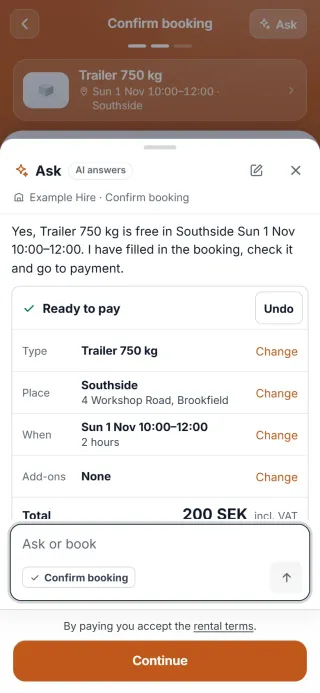
What the agent may do, and may not do.
May
- Answer questions about your products, prices, add-ons, opening hours and terms
- Show what is free and when
- Fill in a booking that the customer goes through and pays for
- Show a logged-in customer their own bookings
May not
- Take payment or see card details
- Give a discount or change a price
- Cancel or change a booking. It shows the way to the booking instead, so the customer does it themselves
- Say who has booked, or show anyone else's bookings
- Talk about anything other than your rental business
02The assistant for you
The assistant in admin.
Write what needs doing, as you would to a colleague. The assistant shows exactly what it intends to change, who will get a message and what the customer will pay. Nothing happens until you have approved it.
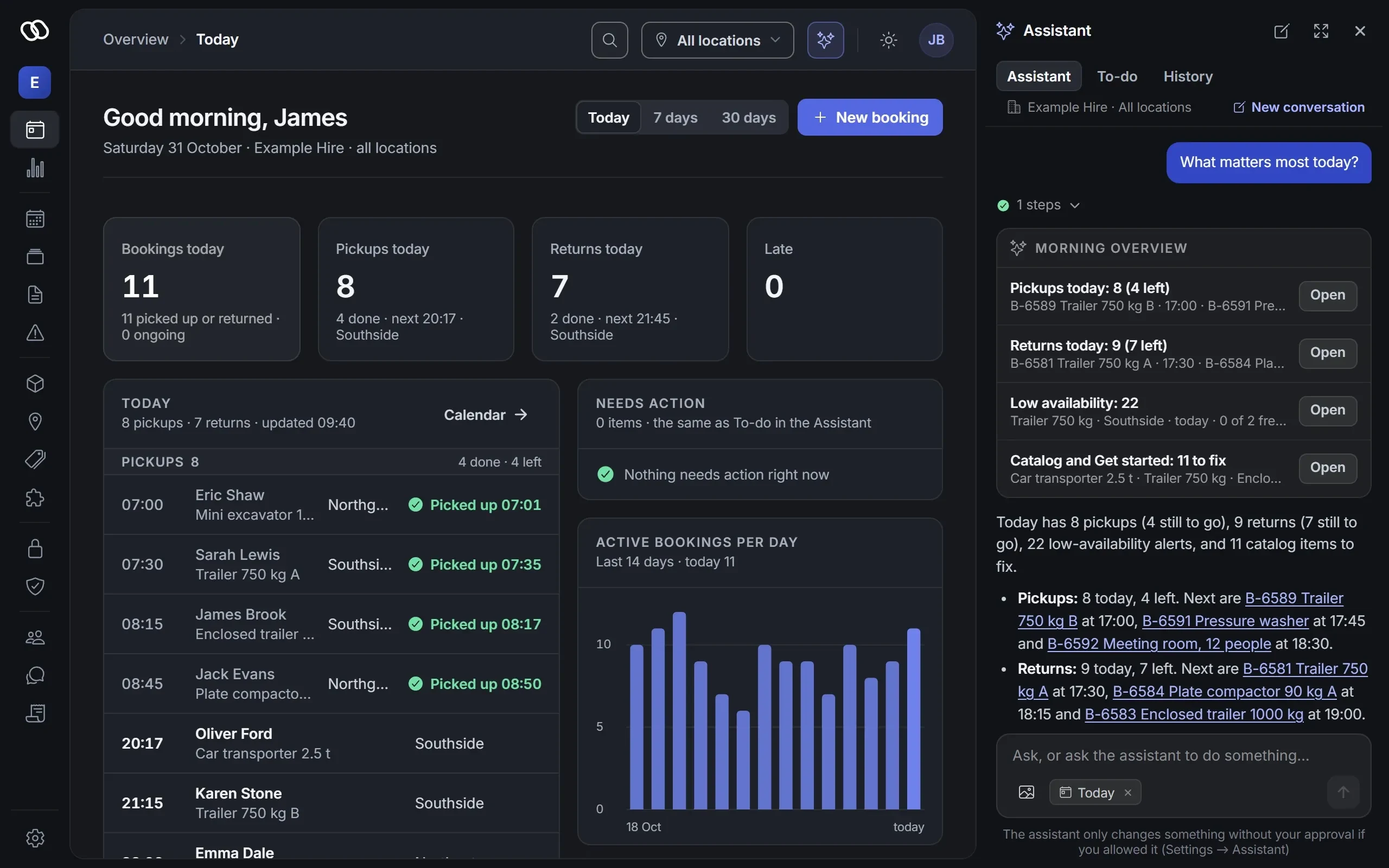
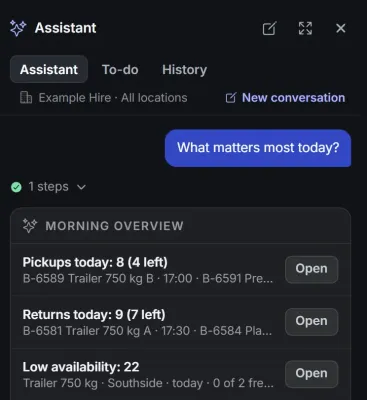
Answers questions about your day
Ask who is returning today, what is free at the weekend or how last month went. The answer comes from your bookings and your statistics.
Asking changes nothing, so no approval is needed.
Makes the change once you have approved it
The assistant shows a plan: what changes, before and after, and exactly which message the customer will get. You approve, edit or cancel.
If you approve something by mistake, you can undo it within ten minutes, as long as the page stays open. What cannot be undone is stated on the card.
Asks more when more is at stake
If something changes what the customer pays, such as a longer rental, an add-on or a late fee, the assistant shows the old price, the new one and the difference. You approve and then confirm once more, just as before a message goes out.
If a booking is to be cancelled, something deleted or archived, given access to admin or changed for many at once, you type the booking number, the name, the e-mail address or the number of items before anything happens.
It never charges a card and never refunds. You make a refund yourself, on the booking.
What the assistant can do for you.
Bookings
Find and explain bookings, move or extend a time, swap a product, change add-ons and write notes. If the price changes, you see the new price before you approve.
Payments
Mark an unpaid payment as paid when the customer has paid another way, for example in cash, and remove an unpaid cost row. Always with the amount on the card and two approvals.
Messages
E-mail the customer about a booking, with exactly the text you have approved, and send the customer the link where they collect the lock code.
Customers and catalogue
Add and edit customers, products, price lists, add-ons and locations, and copy what is already there. If you send a picture in the chat, it can put the picture on a product.
Issues
Go through issues and condition checks, and mark what has been dealt with.
Locks and condition checks
Add a lock and connect it to a product, and add condition checks and connect them to products. You confirm once more, and you set the lock's code yourself.
New bookings and cancellations
Add a new booking. You see the price, what the customer is to pay and the confirmation the customer gets, approve and confirm once more. To cancel, you type the booking number. If the customer has paid online, you cancel yourself, because the money then has to go back.
Settings
Change the company's details, the texts and colours of the booking page and the opening hours. A new address for the booking page and new rules for how long customer details are kept need a second confirmation.
Delete, archive and invite
Most of what you may do in admin, the assistant can do too, including archiving a product, a price list, an add-on or a location, anonymising a customer, inviting or blocking a user and changing many things at once. Then you type the name, the e-mail address or the number of items before anything happens. It only invites with a role below your own.
What you do yourself
Refunds, card charges, payment settings, subscriptions and changing anyone's role. The assistant never gets to see lock codes or other secrets.
03In every plan
The AI assistant is included in every plan.
The plans differ in how much the AI assistant does on its own, not in whether you have it.
In every plan
- The chat on your booking page, where customers ask and book
- The assistant in admin, which answers, guides and suggests
- Changes once you have approved them: moving bookings, changing prices and sending messages
Unattended and Autopilot add
- The morning overview: what needs your attention today
Only Autopilot adds
- The AI assistant acts right away by your rules, without waiting for your approval, once you switch it on
- The inbox: the AI assistant answers your customers' e-mail, once you switch it on
- Connect ChatGPT or Claude to your account
How much you can use the AI assistant per month follows the plan, within fair use: normal on Start, more on Unattended and the most on Autopilot.
04If it gets it wrong
If it gets it wrong.
An AI can misunderstand. So it is built so that a misunderstanding never becomes a booking at the wrong price or a change you did not want.
The customer always sees the right price
The booking and the price come from your price list. If the agent says something wrong in the chat, the customer sees the right price in the booking, before paying.
It does not make up figures
It fetches prices, free times and bookings from Qonnecta every time, never from memory. If something is unclear, it asks rather than guesses.
Nothing changes without you
Every change and every message in admin waits for your approval, unless you have set rules on Autopilot for it to act on. The before and after on the card come straight from your data.
You can undo
A change can be undone within ten minutes, as long as the page stays open and nobody has changed the same thing since. A message that has been sent, a new price, a payment marked as paid, a new booking, a cancellation, an invitation and what has been archived or deleted cannot be taken back, and the card tells you so before you approve.
Your customers' text does not decide
What customers write in notes and messages is only information for the assistant. If something in a proposal comes from there, for example an e-mail address in a note, the card warns you and says where the text is.
It cannot do more than you
The assistant works with your login and can only do what you yourself are allowed to do in admin.
Everything is in the log
Every change is saved with what changed, who approved it and when.
05Questions
Questions about the AI agent and the assistant.
What do the AI agent and the assistant cost?
The AI agent and the assistant are included in every plan, from €89 (SEK 990 in Sweden, DKK 695 in Denmark) per location and month, excluding VAT. Unattended adds the morning overview. On Autopilot the AI assistant acts right away by your rules, without waiting for your approval, answers your customers' e-mail in the inbox, and you can connect ChatGPT or Claude to your account. See all prices.
Can someone trick the agent into giving a discount?
No. The agent cannot change prices or give discounts, and the price in the booking always comes from your price list. It only answers questions about your rental business, and anyone trying to make it do something else gets no answer.
Can the assistant delete things or invite someone?
Yes, if you are allowed to do it yourself in admin. The card shows what will be deleted or archived and what depends on it, or who will be invited, and you type the name, the e-mail address or the number of items before anything happens. You confirm a cancellation with the booking number. It only invites with a role below your own and cannot change anyone's role.
Can a customer trick the assistant with a message?
What a customer writes does not steer the assistant. If it proposes something that comes from a customer's text, for example inviting an e-mail address that is in a note, the card warns you and says where the text comes from, and you confirm once more. Deleting something or inviting someone also needs you to type the name or the e-mail address.
Can the assistant take payment or refund?
No. It never charges a card and never refunds. It can propose a change that changes the price, a late fee, marking an unpaid payment as paid or removing an unpaid row. Then you see the amounts on the card, approve and confirm once more. You make a refund yourself, on the booking.
Do the AI agent or the assistant see card details or lock codes?
No. Neither the agent nor the assistant may see card details or codes. When a customer is to get their code, the assistant sends the link where the customer collects it.
Are the conversations saved?
A conversation in the chat on the booking page is saved for at most a day if the customer is not logged in, and for 30 days if they are. Your conversations with the assistant are saved for 90 days and are visible only to you.
What if the assistant does not understand what I mean?
Then it asks. If, for example, there are two bookings under the same name today, it asks which one you mean instead of guessing.
Get started with the AI assistant.
It is included in every plan, from {price:start} per location and month.
Prefer to talk first? Book a walkthrough