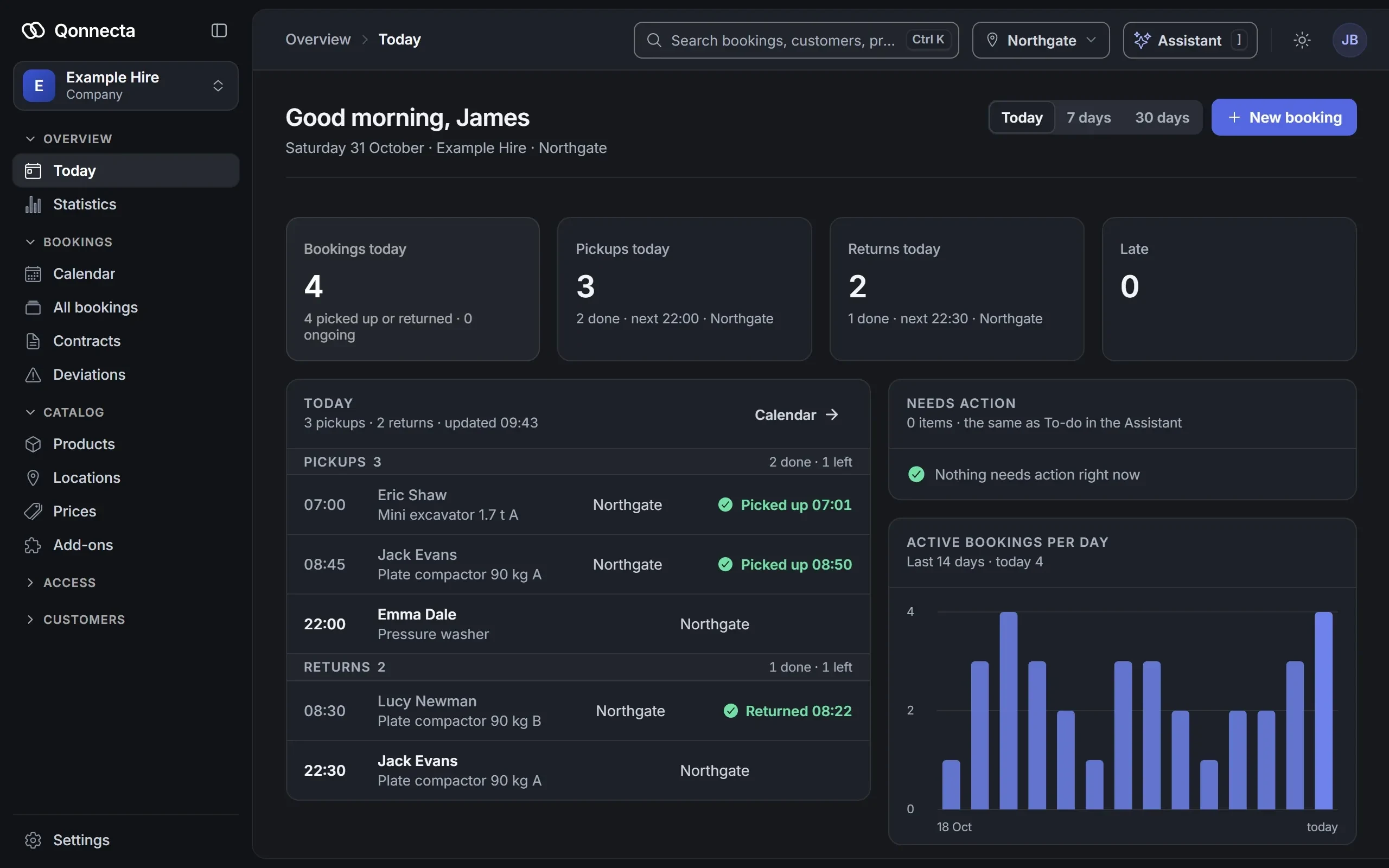
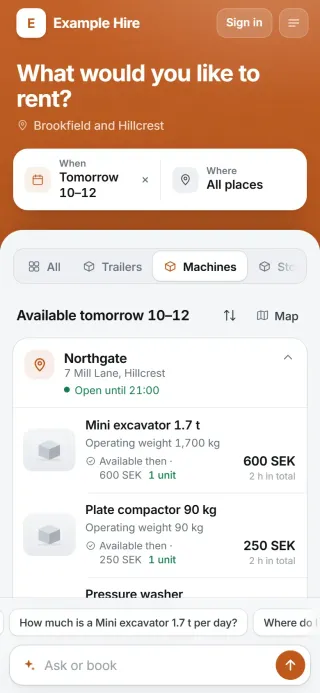
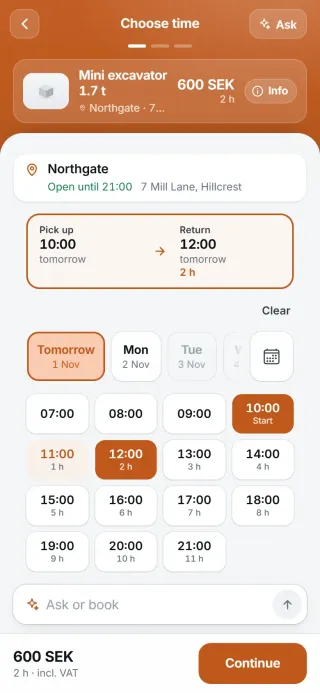
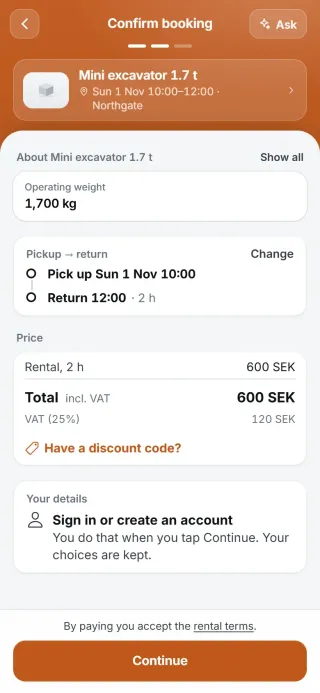
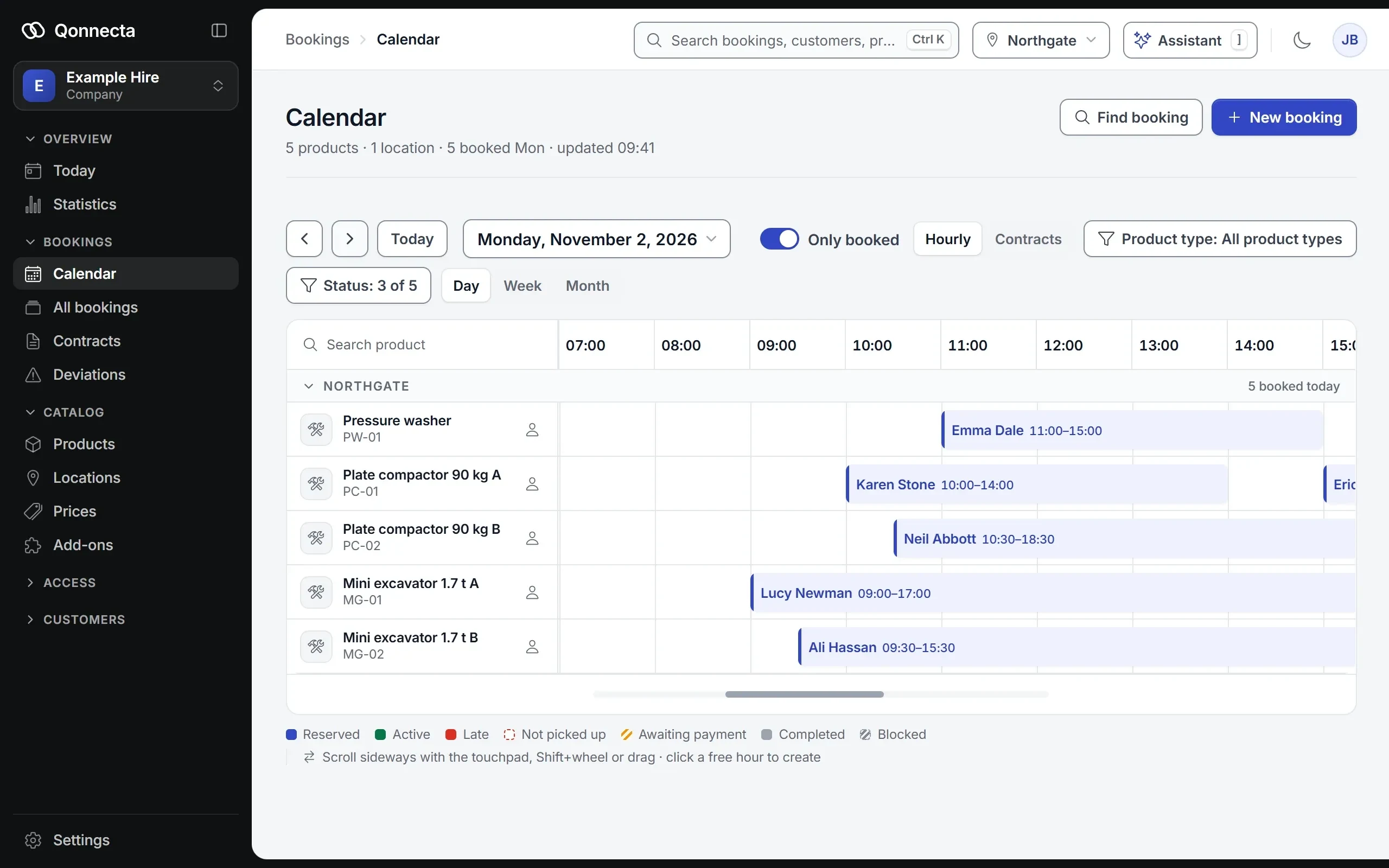
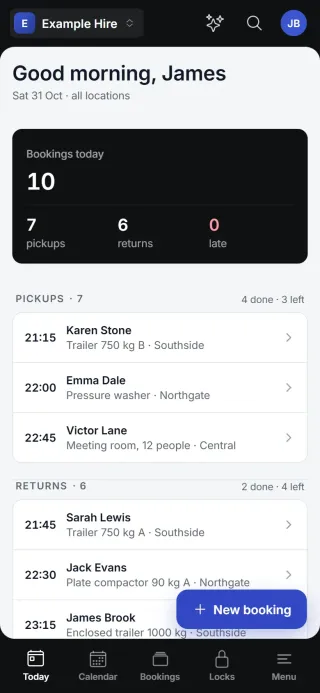
Let customers book machines and tools online, staffed or around the clock.
A tradesperson books the plate compactor in the evening and pays by card. You hand it over the next morning, or the customer collects it with a code at six. You choose per machine.
Plenty of people want to book early in the morning, in the evening or on a Saturday. Online they can, even after you have closed, and with a code to the key box they can also collect without you being there.
Fewer calls about the same thing
“Is it free on Saturday?” and “What does it cost?” The customer sees free times and prices straight away and can book there and then.
Paid in advance, with a record of the condition
The customer pays when booking. If they collect with a code, they photograph the machine before and after the rental, so you know what it looked like when it left your yard.
02The customer
How a customer rents a machine.
Chooses a machine and a timeThe customer sees which machines are free and what they cost by the hour, day or weekend. Anything already booked cannot be chosen.
Adds extrasInsurance, an extra bucket or a trailer to carry the machine, all in the same booking. Mandatory fees are added automatically.
Pays straight awayBy card, Apple Pay and Google Pay through Stripe, Swish in Sweden, and Klarna if you turn it on. Business customers can pay by invoice. The money goes to your own account.
Picks up on site, with or without staffStaffed, you start the rental when you hand the machine over. Unattended, the customer starts the rental on site, photographs the machine and gets the code to the lock, and the same check is done at return.
In equipment rental staffed handover is the norm, and it works as before: the customer books and pays online, and you start the rental when you hand the machine over. Simpler machines such as the plate compactor or the pressure washer can be collected with a code before you open, and you hand over the mini excavator after a walk-through. You choose per machine.
Staffed
Included in Start, €89
Customers book and pay online, and you hand over as usual. The booking tells the customer that the handover is staffed, with your address, opening hours and phone number. You press Start booking when you hand over and End booking when it comes back.
Unattended
Included in Unattended, €149
Fit a digital lock to whatever suits. The customer starts the rental on site, photographs the condition and gets a code that only works during the booking. You don't need to be there, and you see every step in admin.
If the customer collects with a code, they photograph the machine against your checklist at collection and at return. The photos are saved with the booking, and if something looks wrong it shows up under Issues in your admin. The customer accepts your terms on the excess when booking.
Can I take a deposit?
You can add a mandatory fee or insurance to the booking, set damage terms with an excess that the customer accepts when booking, and have the customer photograph the machine at pick-up and return. You can keep handing over expensive machines yourself. Want to take a deposit as a hold on the card? Get in touch.
Not every machine can be rented without a walk-through.
They don't have to be. You choose per machine. The plate compactor and the pressure washer are collected with a code, and you hand over the mini excavator yourself after a walk-through. Both are booked and paid for on the same page.
We already have a business system.
Keep it. Qonnecta takes care of online booking, payment, codes and condition checks. Qonnecta works with most business and accounting systems, and we help you connect them.
05Prices
What it costs.
Per location and month, excl. VAT. No minimum term, and not happy? Your money back within 30 days.
A booking page with your name and logo, the calendar and admin, payment by card, Apple Pay and Google Pay through Stripe, Swish in Sweden, and Klarna if you turn it on, and the AI assistant on the booking page and in admin. You hand over in person.
€89
per location and month, excl. VAT
Unattended
Everything in Start, and Unattended gives the booking page your own colours and turns on digital locks with a new code for every booking, the unattended flow and condition photos. The AI assistant’s morning overview shows what needs you today.
€149
per location and month, excl. VAT
Autopilot
Everything in Unattended, and the AI assistant does more on its own, once you switch it on: it acts right away by your rules, without waiting for your approval, answers your customers' e-mail in the inbox, and you can connect ChatGPT or Claude to your account.
€229
per location and month, excl. VAT
If you hand over in person, Start is enough. If you rent out equipment unattended, you choose Unattended, plus the locks, which are a separate line on the quote. Your card is charged from the day your booking page goes live. We set everything up for you, at no cost, or you do it yourself with the AI assistant.
SEK 990 / 1,690 / 2,490 in Sweden and DKK 695 / 1,195 / 1,695 in Denmark, per location and month, excl. VAT. The euro prices apply everywhere else.
06Read more
More about equipment rental.
Protect the value of your machines
Machines and tools are expensive and they wear. So renting them out is as much about knowing what condition they come back in as about getting paid. Three things make the biggest difference: clear terms the customer accepts when booking, insurance as an add-on in the booking, and a condition check with photos at both collection and return.
Prices that follow how your machines are rented
An hourly price for short jobs, a daily price for most jobs, and a different price at weekends. Add consumables and accessories as add-ons, and a late-return fee that the customer sees before booking.
Yes. The price list can have hourly and daily prices, different prices on different weekdays, prices for a set period and a fee for late returns.
How does the customer get instructions for the machine?
You write the instructions once per product or location. The customer sees them in the booking, together with the code.
My customers are businesses that want an invoice.
That works. Business customers can pay by invoice, which you send from your own system, and private customers pay by card, Apple Pay or Google Pay, or with Swish in Sweden, right in the booking.
Does it work if we hand things over ourselves?
Yes. The customer books and pays on your booking page, and you hand over as usual. The booking tells the customer that the handover is staffed, with your address, opening hours and phone number. You press Start booking when the customer picks up and End booking when it comes back, so the calendar shows what is out and the reminder before the return goes out. If you book for a customer who calls, they can pay you directly. It is included in Start, €89 (SEK 990 in Sweden, DKK 695 in Denmark) per location and month, and you can add locks later on whatever suits.
Do I have to buy locks?
No. You only need locks on what you want to rent out unattended. You can start with online booking and payment, let customers collect from you as they do today, and add locks later.
Can I mix unattended and staffed rentals?
Yes. You choose per product. What suits self-service gets a lock, and the rest you hand over as usual. Everything is booked and paid for on the same page.
What does Qonnecta cost?
A fixed price per location and month, excl. VAT, in three tiers: Start, Unattended and Autopilot, and the AI assistant is included in every plan. The price depends on where your business is: SEK 990 / 1,690 / 2,490 in Sweden, DKK 695 / 1,195 / 1,695 in Denmark and €89 / 149 / 229 everywhere else. Locks and hardware are on a separate line. Your card is charged from the day your booking page goes live, and if you are not happy you get your money back within 30 days. We set everything up for you at no cost, or you do it yourself in five minutes with the AI assistant. Prices for your country.
Create an account for free and set everything up yourself with the AI assistant, or let us do it for you, at no cost. Not happy? Your money back within 30 days.